Using the API as MCP server tools in Claude Desktop
This document explains how to install the jaxa-earth package in a local Python virtual environment, install and configure Claude Desktop to use a local MCP server, and verify the integration on your PC.
Set up a virtual environment
Open PowerShell (recommended) or Command Prompt. From a working folder, create a venv
$ python -m venv venv
Activate the venv
.\venv\Scripts\Activate.ps1
Place the downloaded zip file (e.g., jaxa-earth-0.1.5.zip) in a known folder, then install it into the active venv
(venv) $ pip install ./jaxa-earth-0.1.5.zip
Additional dependencies for MCP server functionality
(venv) $ pip install mcp
Prepare the MCP server script.
Copy mcp_server.py into a stable path inside or reachable from your environment. Common choices
Put it in the project root alongside the venv
Or in
C:\\YOUR-VENV-FOLDER-PATH\\mcp_server.py
Ensure the Python interpreter referenced in the configuration points to the venv Python executable.
C:\\YOUR-VENV-FOLDER-PATH\\venv\\Scripts\\python.exe
Configure the Claude Desktop
Open the Claude Desktop and go to
Settings -> Desktop app -> Local MCP servers -> Edit config
{
    "mcpServers": {
        "jaxa_api_tools": {
            "command": "C:\\YOUR-VENV-FOLDER-PATH\\venv\\Scripts\\python",
            "args": ["C:\\YOUR-VENV-FOLDER-PATH\\mcp_server.py"]
        }
    }
}
commandmust be the full path to the Python executable inside the venv.argsshould include the full path tomcp_server.py.
Restart Claude Desktop after saving the configuration.
Please completely exit Claude Desktop. Please note that even after closing the application, it may still be running in the background.
After restarting the app, please verify that the tool is enabled.

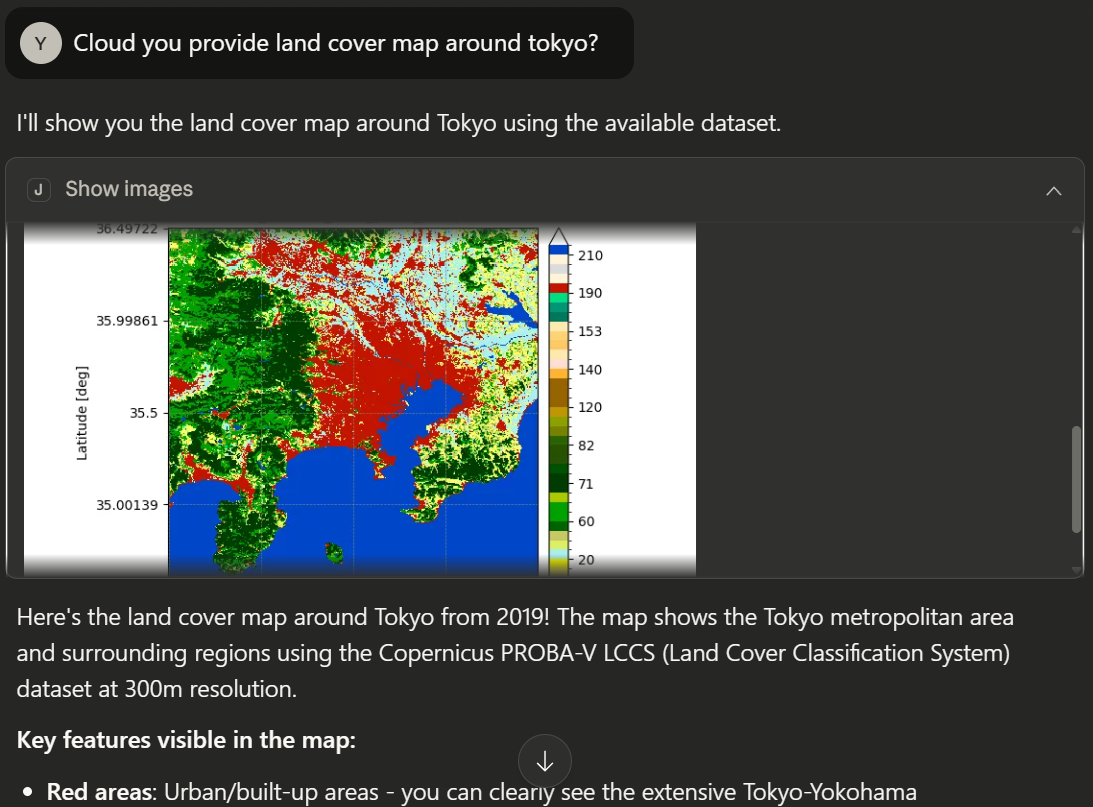
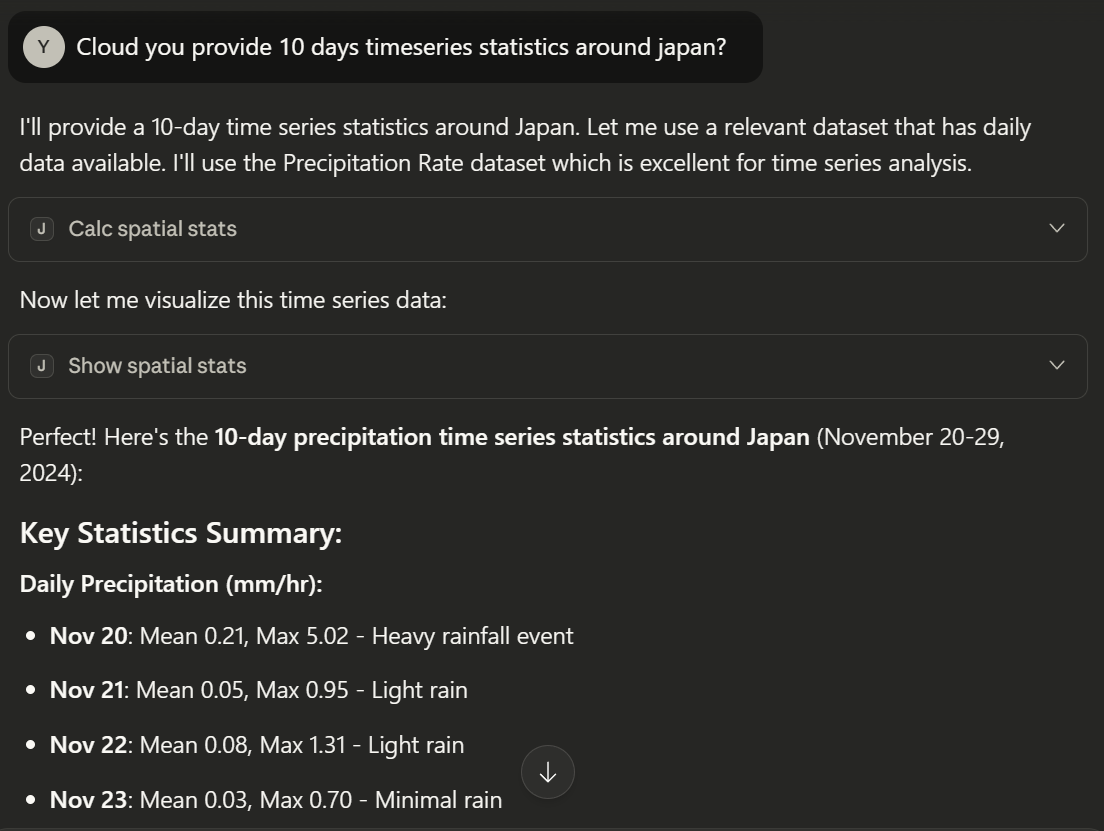
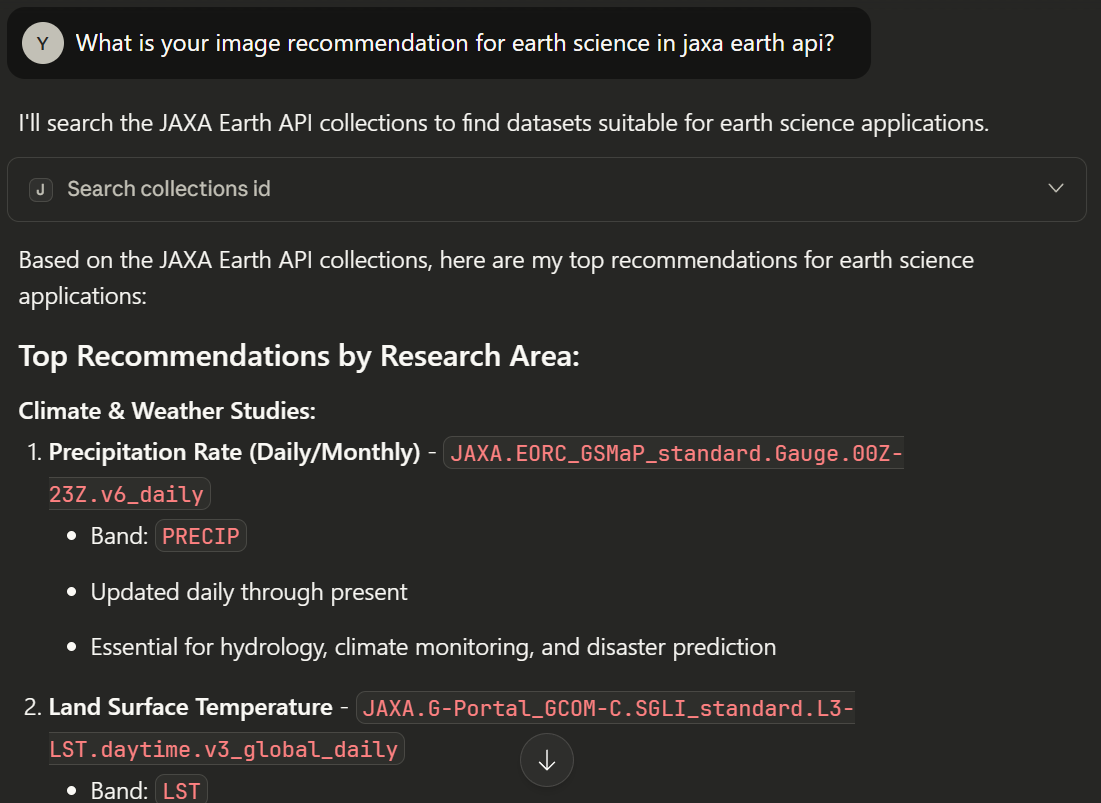
If enabled, you can now use the JAXA Earth API tools in Claude Desktop. The following four functions are available.
search_collections_id: Return JAXA Earth API’s detailed collection information.
show_images: show satellite image using JAXA Earth API based on user input.
calc_spatial_stats: Calculate satellite data’s spatial statistics values using JAXA Earth API based on user input.
show_spatial_stats: Show satellite data’s spatial statistics result image using JAXA Earth API based on user input.
Sample questions