Building a Practical MCP
With the JAXA Earth API for JavaScript, you can also develop an MCP (Model Context Protocol) for integration with generative AI. In this tutorial, we will build a more practical MCP using the Streamable HTTP method.
This explanation assumes an understanding of the Streamable HTTP method, so if anything is unclear, please refer to the Streamable HTTP method tutorial.
The content of this explanation has been verified to work in the following environment (as of May 2026).
- Windows 11
- Node.js (v22.20.0)
- TypeScript (5.9.3)
- Claude Desktop (version 1.8555.0)
- Claude Free plan
Preparing the Source Code
Download the complete source code from the link below, extract the ZIP file, and save it to a folder of your choice.
Complete MCP source code (Japanese Version Only)
The source code includes the following files.
- package.json //Node.js file containing information about this package
- tsconfig.json //TypeScript configuration file
- src/
- index.ts //File required to run the MCP
- createMcpServer.ts //File for the function that creates the McpServer
- test.ts //File for module unit testing
- getCatalogList.ts //Function to return the catalog files available in the JAXA Earth API
- getLinks.ts //Function to return links to pages where you can check dataset details
- getValue.ts //Function to return data values via the JAXA Earth API
- getImage.ts //Function to return data images via the JAXA Earth API
- getCsv.ts //Function to retrieve a 50x50 grid, 2500 points of data at once via the JAXA Earth API and return it as CSV
- getJavaScriptCode.ts //Function to return the source code of the JAXA Earth API for JavaScript
- getDocs.ts //Function to return the API documentation (in Markdown format) of the JAXA Earth API for JavaScript
- jaxa.earth.esm.js //Module file of the JAXA Earth API
- jaxa.earth.esm.d.ts //Type definition file for the JAXA Earth API module
As shown above, we have bundled together functions for retrieving dataset catalog information and related links, as well as functions for returning values and images. We have also added functions for generating source code and for returning the entire API documentation.
How to Run
As in the Streamable HTTP method tutorial, perform installation, compilation, and registration of the MCP with Claude Desktop.
Execution Examples
By making full use of the functions described above, generative AI can select the necessary datasets, retrieve values and images, and provide guidance to detail pages. It can also generate a web page that displays the data.
Note that this page is intended to introduce a demonstration of generative AI autonomously handling
Earth observation data.
Please be aware that the generative AI outputs shown below are presented exactly as they were
produced, and their scientific accuracy has not been verified.
Furthermore, depending on the type and version of the generative AI used, the content of past
conversations, and other factors, the way the tools are used and the parameters entered may differ
even for the same question, potentially yielding different results.
Recognizing How to Use the Tools
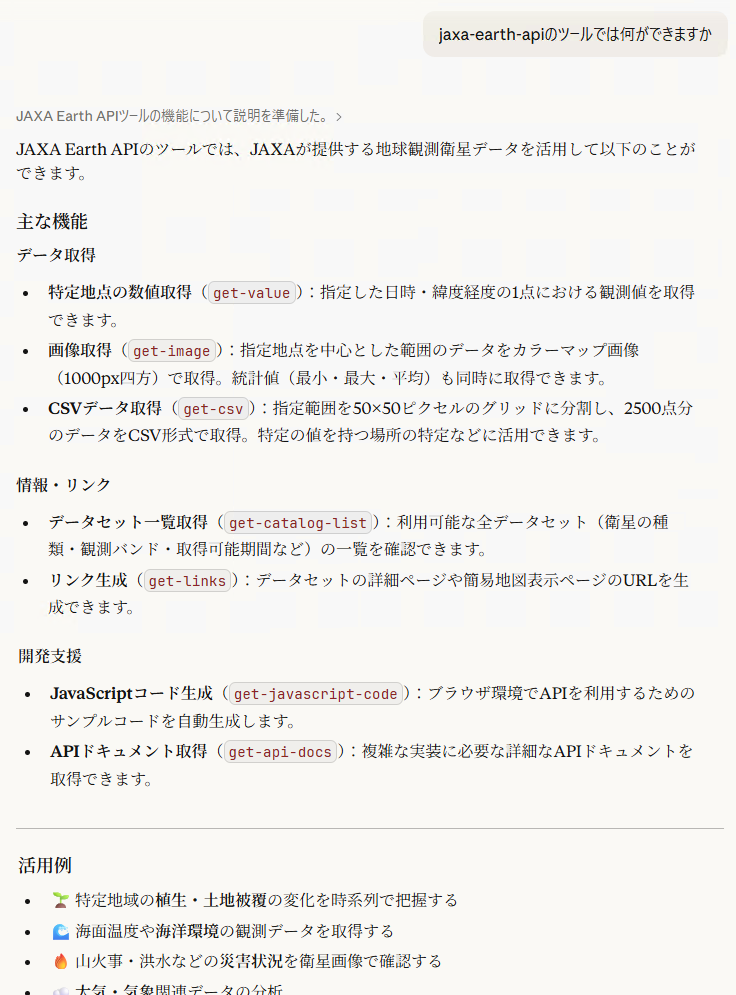
The generative AI recognizes the functions available via the MCP.
- Example of retrieving how to use this tool:
Data Retrieval and Report Creation
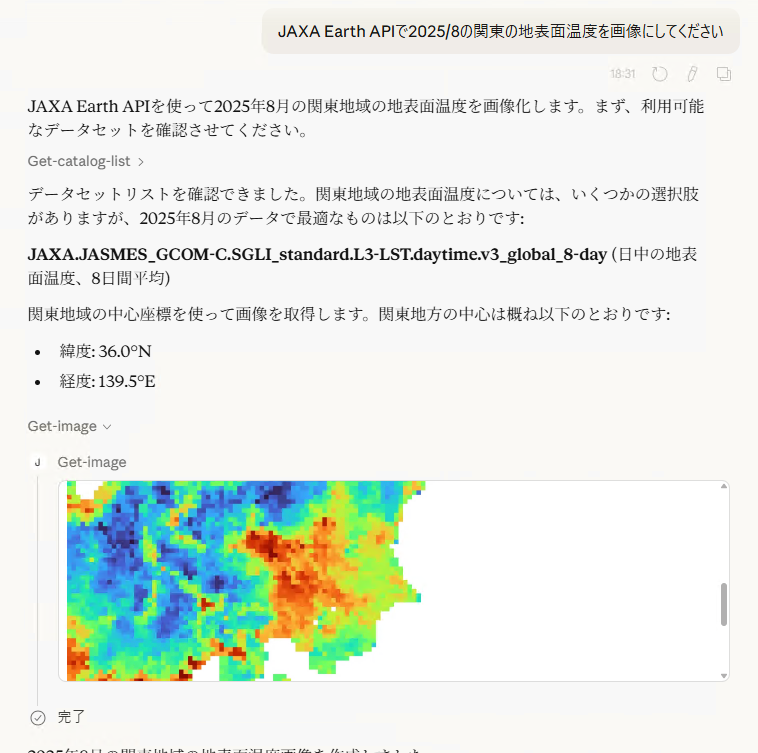
It identifies the necessary dataset according to the question and retrieves the data. If needed, it can also format the result into a report-like form.
- Example of retrieving a land surface temperature image for a specified period:
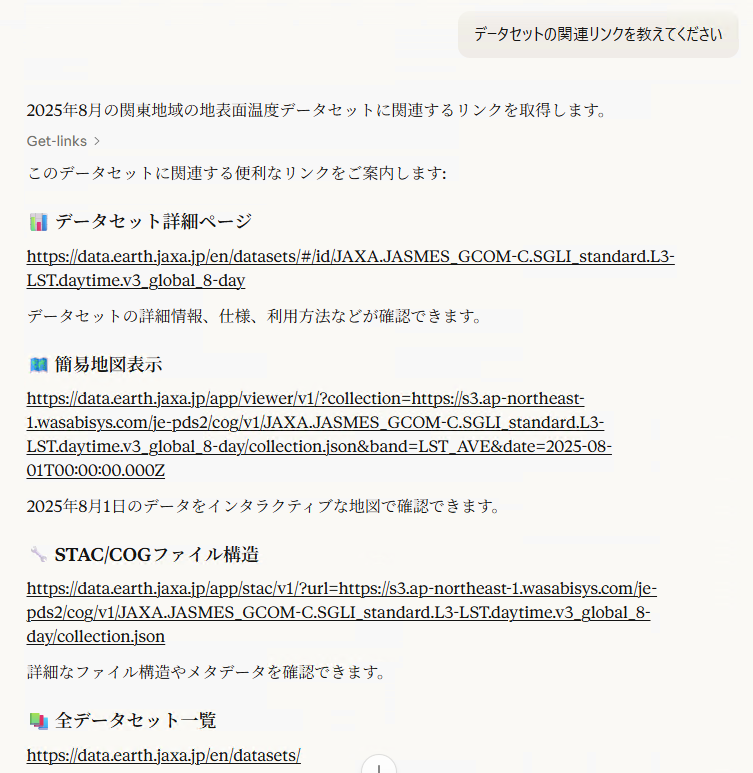
- Example of retrieving related links:
- Example of searching for yet another dataset:
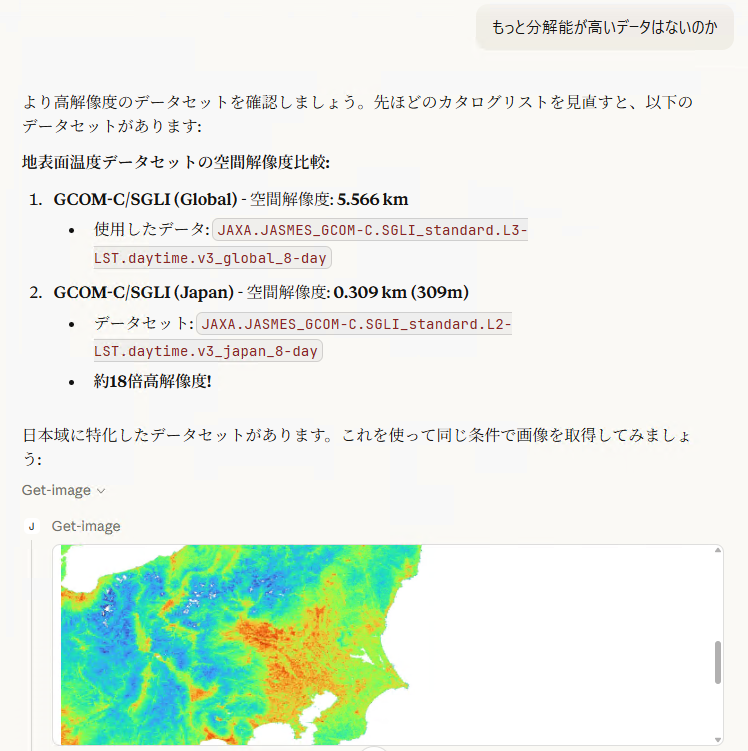
- Example of making full use of multiple data sources to compile a report:
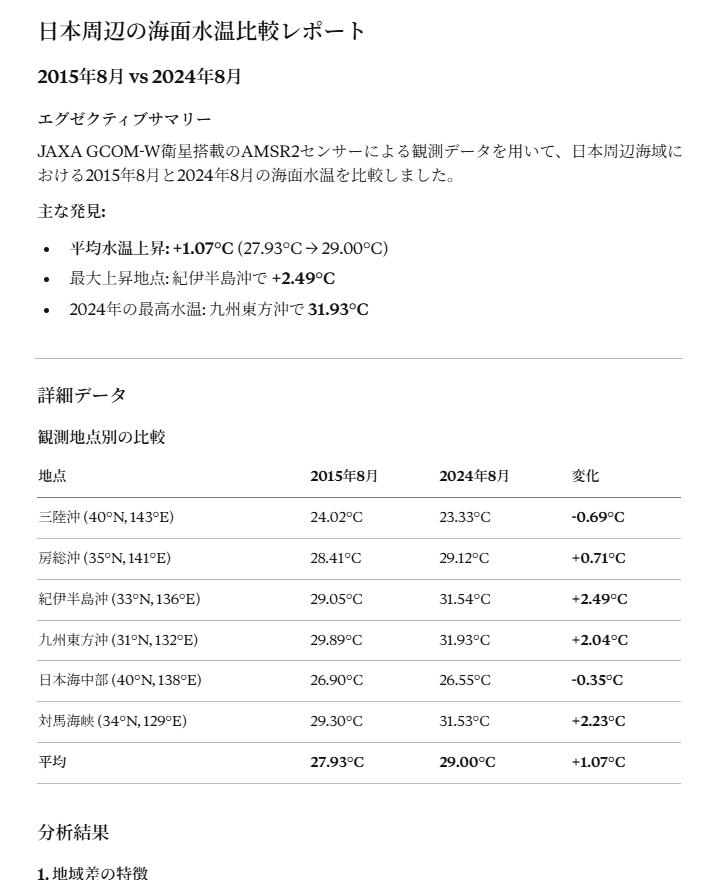
Web App Development
You can also have it generate a web page (HTML) that runs the data retrieval process.
- Example of creating web page HTML based on the generated JavaScript source code:
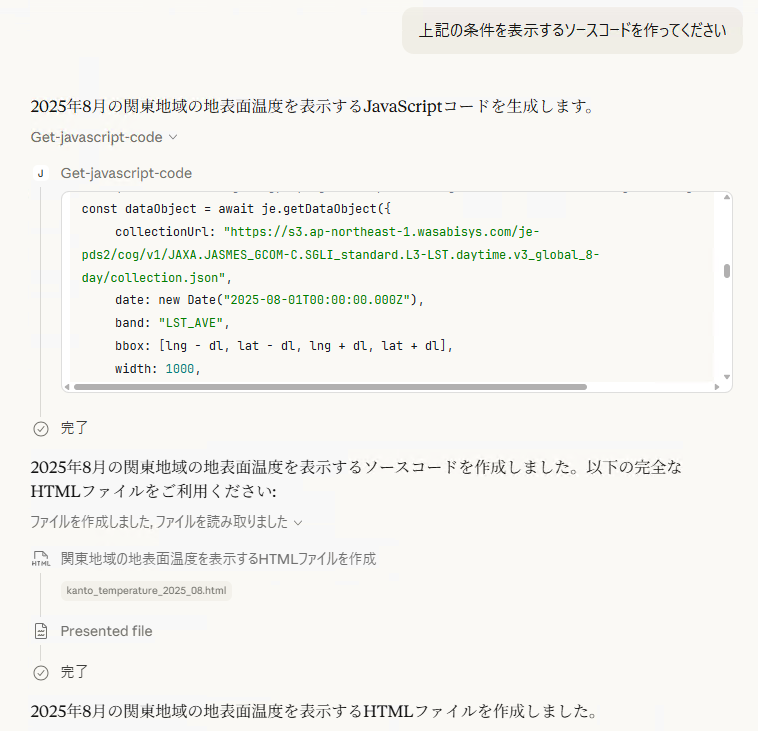
- Generated web page (it worked correctly):
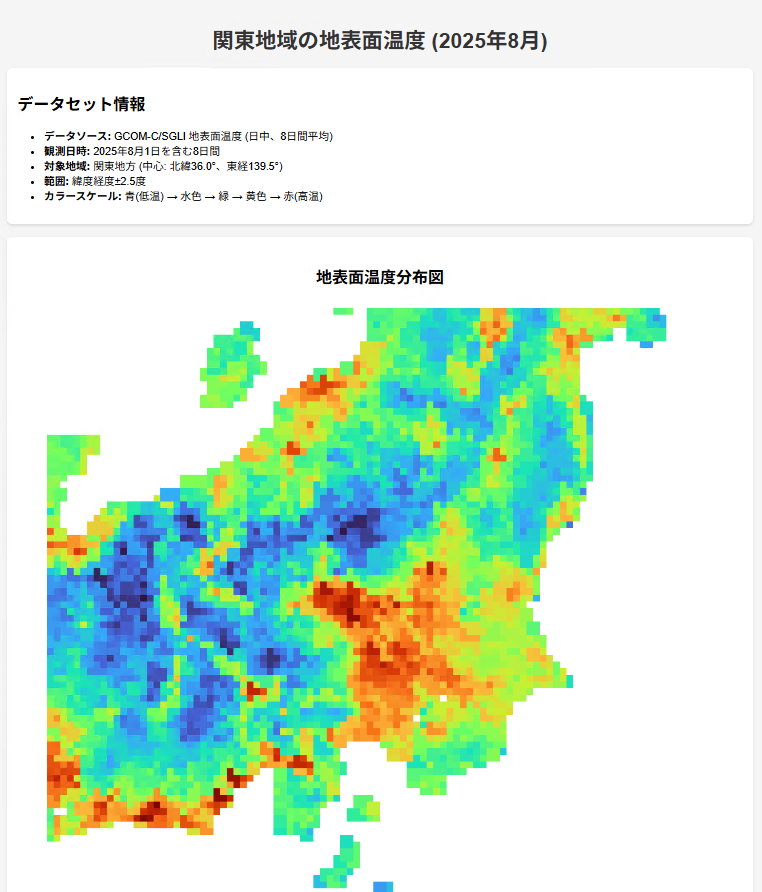
Developing Web Apps with More Advanced Visualizations
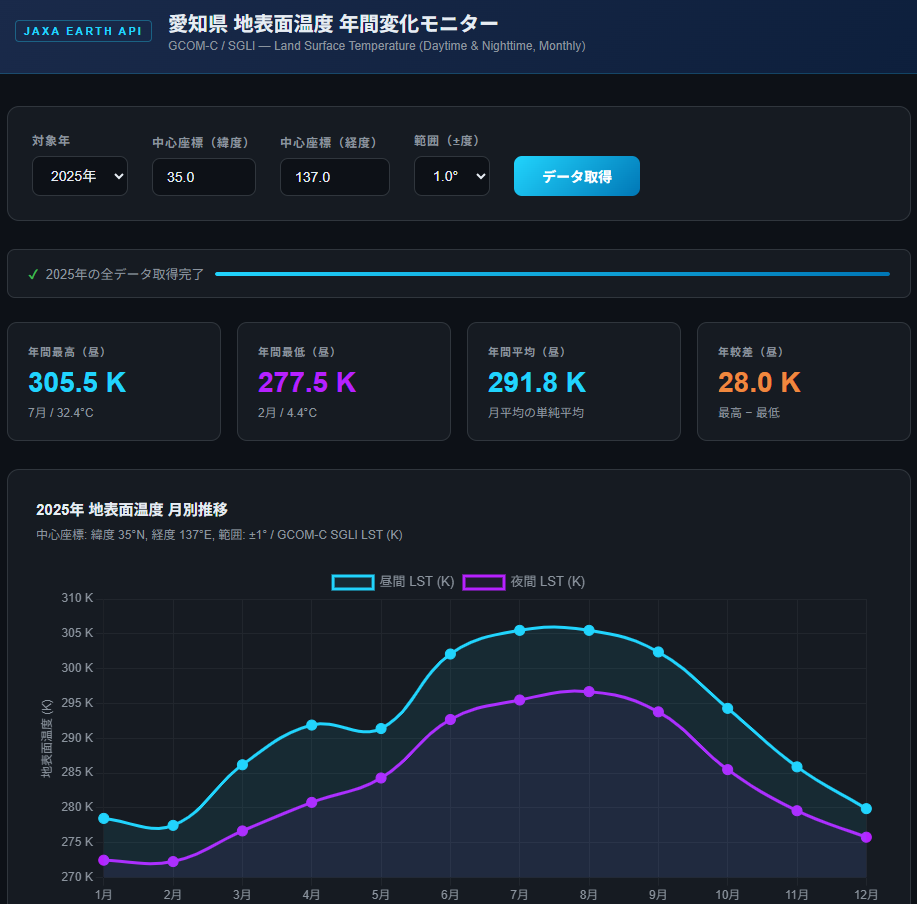
By using the getDocs function to also feed it the Markdown-format API documentation, you can develop web apps with more advanced visualizations, such as graph displays and 3D displays.
- Graph display web app (it worked correctly):
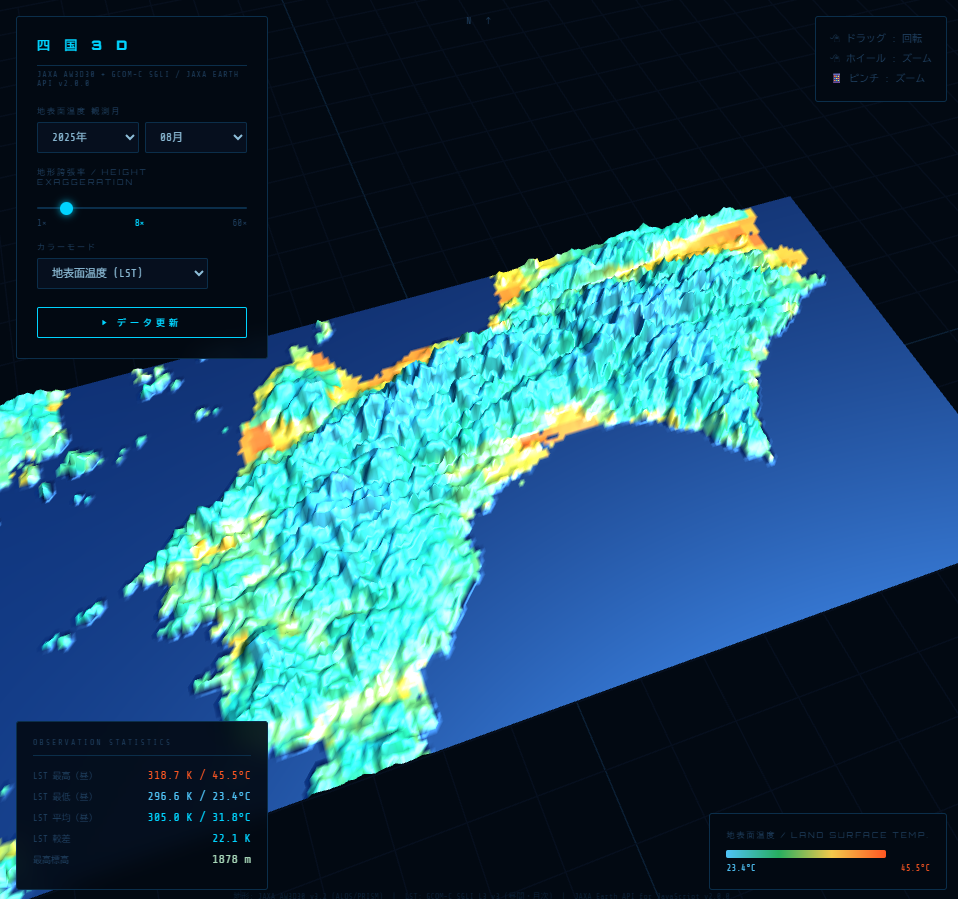
- 3D terrain display web app (it worked correctly):