Access Analysis Tool with Metabase
Overview
In the JAXA Earth Database for API, COG/STAC data are stored in cloud storage (currently Wasabi). When a user accesses the database, a text-based access log is generated.
This tool is a dashboard viewing tool to analyze user access to COG data and investigate usage trends.
Components:
| Component | Role |
|---|---|
| Docker | Virtual environment |
| Python | Log analysis |
| PostgreSQL | Database |
| Metabase | BI (Business Intelligence) tool |
How to Use the Access Analysis Tool
Configure environment and convert logs to PostgreSQL database
- Install Docker in your environment.
-
Download and unzip the tool.
-
Create a folder to save logs. By default,
C:/wasabi_logis configured as a volume indocker-compose.yml— adjust as needed. - Change your current directory to the location of the
Dockerfile. - Run:
- Activate the Python remote container using a development environment such as VS Code Remote Explorer.
- Set your ID and Secret in
set_secret.py. - Execute
main.pyinside the container to fetch logs.
Once complete, Wasabi logs are registered in PostgreSQL.
Warning
Logs obtained from Wasabi are deleted from the cloud and stored locally. Handle raw logs with care.
Metabase configuration and dashboard creation
-
Access the following address with a browser to start Metabase:
-
Enter your country, email, name, etc.
-
Select PostgreSQL as the database and enter:
Field Value Host dbPort 5432Database name postgresUsername postgresPassword metabase -
You can now access PostgreSQL from Metabase.
To update the database, use Administration → Database → Synchronize with database schema now and Rescan field values now.
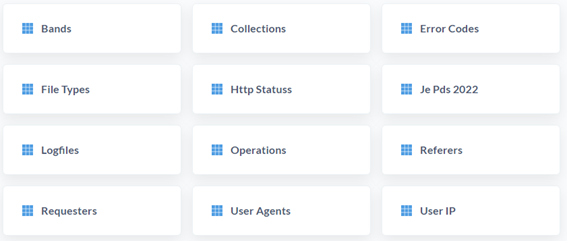
The main data is stored in the Je Pds 20XX tables.
Dashboard Examples
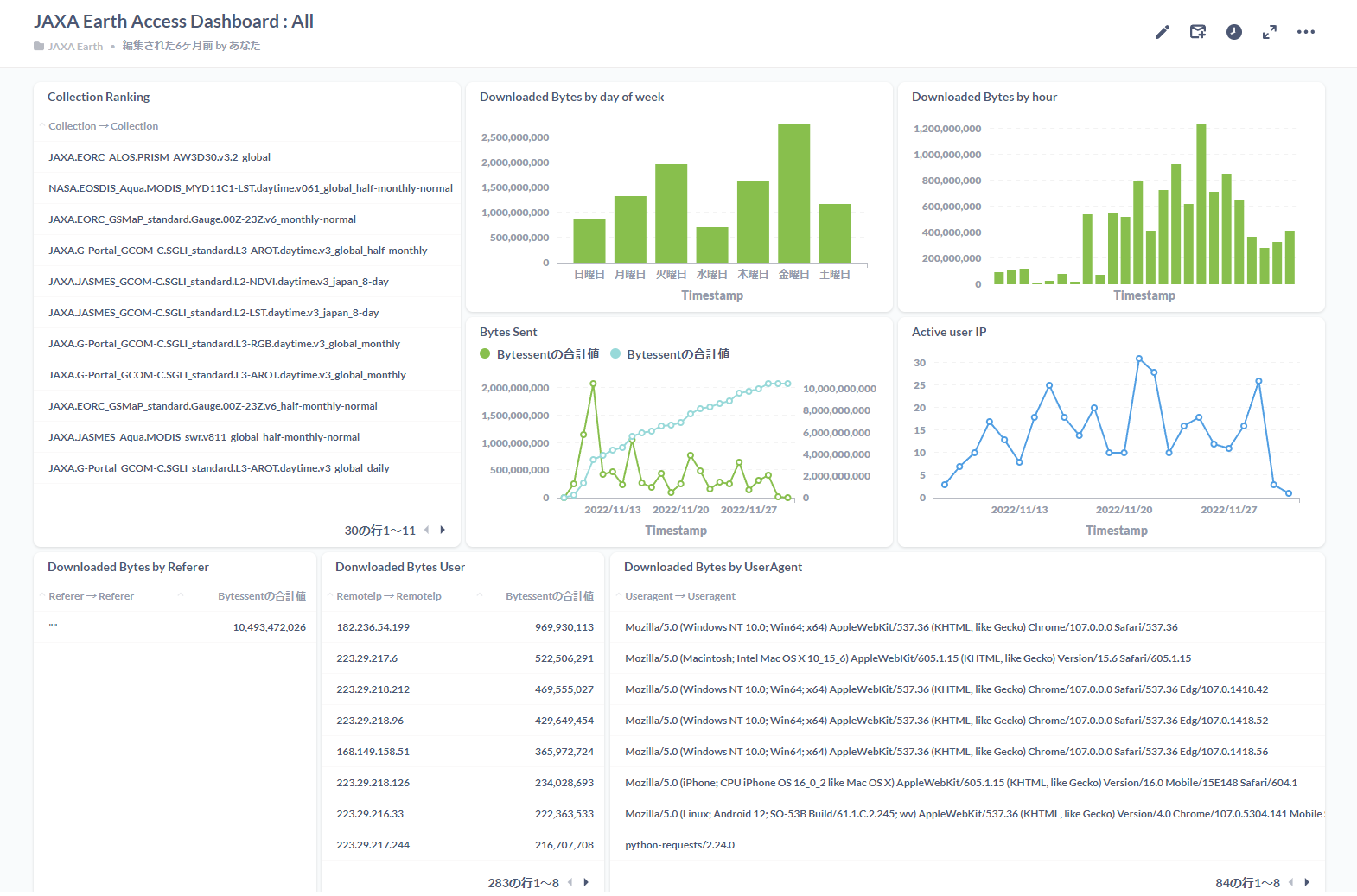
All-collections dashboard
An example dashboard showing download volume rankings and time-series data for each COG collection.
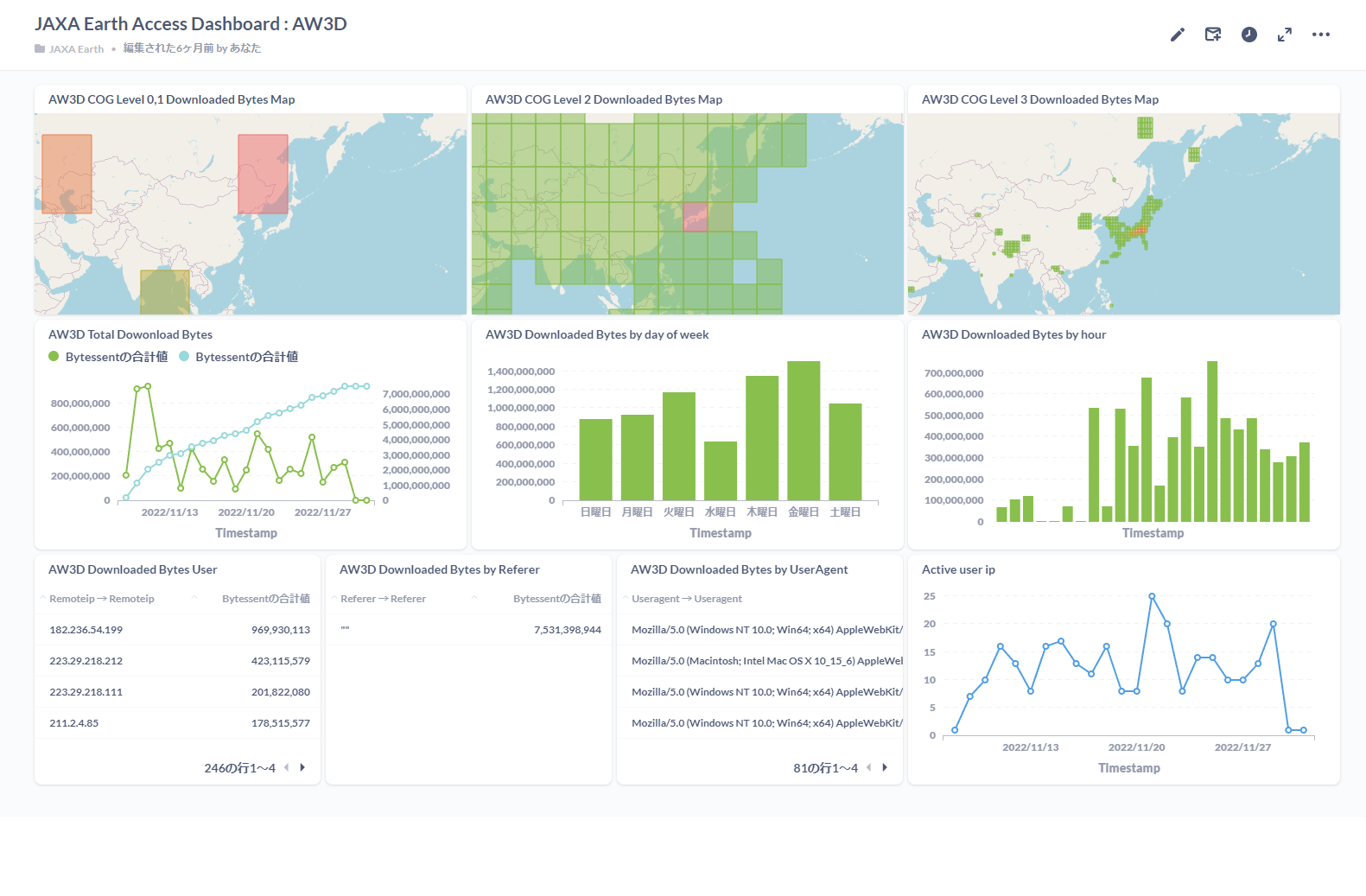
Single-collection dashboard
A focused dashboard that visualizes which areas of data are in high demand, organized by COG level.
For general Metabase usage, refer to the official Metabase documentation.